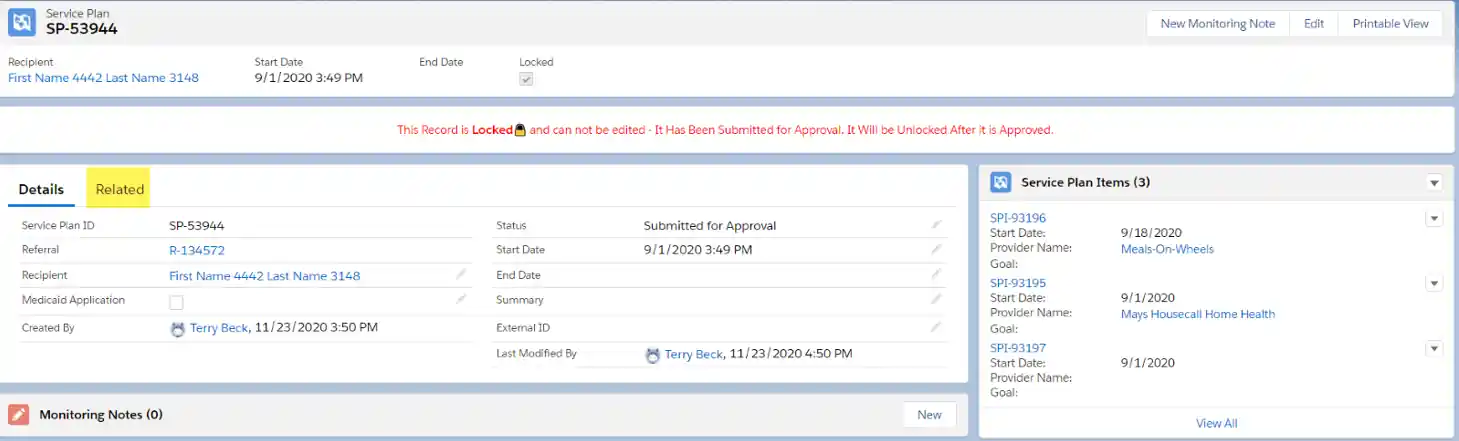
- Navigate to the Service Plan that you wish to recall.

- Click
Related.
- Under the
Approval Historysection, click theRecallbutton on the right.

- Type a Recall reason and click
Recall.

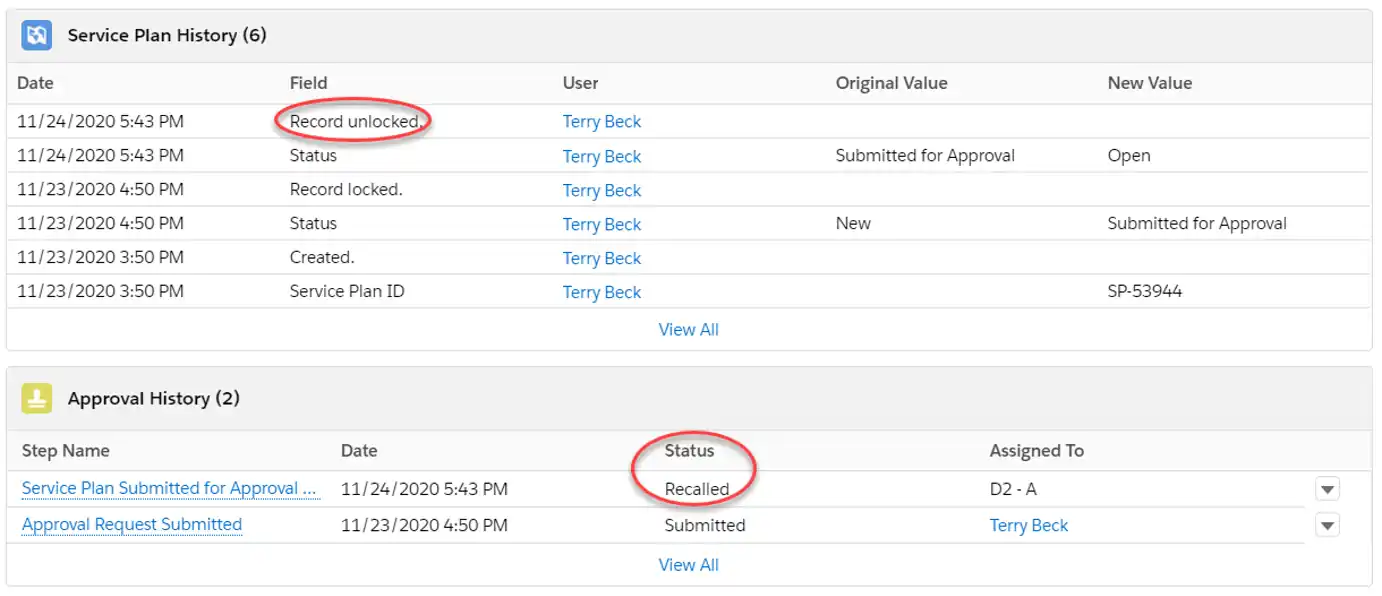
- Under the
Approval Historysection, theStatuswill change toRecalled. Under theService Plan Historysection, the Field will change toRecord unlocked.