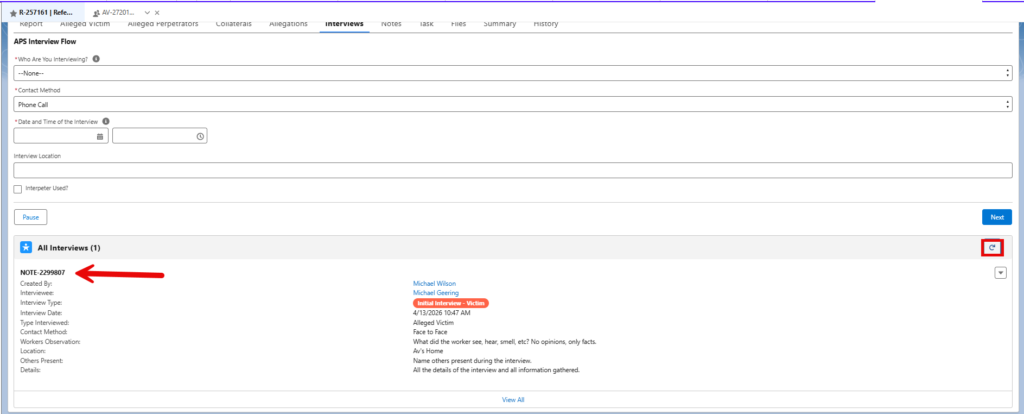
There are two methods for adding an interview to a referral. This article will show both methods including the best preferred method.
Note: This Process depicts the Alleged Victim (See Additional Notes for Entering Alleged Perpetrator and Collateral Interviews).
Method #1 for Adding an Interview
- From Home, click
My Referrals.
- Click on the referral ID of the case you want to document an interview.

- Once in the case, click the
Actionsbutton (1) and chooseInterview(2) and clickNext(3).
- Click on the “What type of Interview?” drop down and choose
Initial Interview - Victim. Fill out the screen and click next. After you have entered anInitial Interview - Victim, any future interviews with the victim would be recorded asInterview. You will only have oneInitial Interview - Victimon each case and it should be your first attempt whether contact was successful or not.Interview Location: Record the address of the interview if done at a private residence. If interview is at a hospital, the name of the hospital and room number should be entered. If by phone, the phone number of the interviewee would be entered.
- Fill out the Alleged Victim Interviewee Name, Details, Observations, and Others Present fields and click
Next.Interviewee Details: Record the narrative of the interview. Items to focus on would be details pertaining to AV’s executive functioning and capacity, information regarding the circumstances reported, and contact information for people that may know of the circumstances or be willing to be a part of the service plan.Observations: This box is for observations made by the specialist. Special care should be given to ensure that personal opinion is not included. Information should be in a tangible form with examples when possible. If there is more than one AV, choose the AV on the
 Alleged Victim Intervieweefield. - Review the Actions screen.

- After you click next, a green box will appear stating the interview has been entered.

- To verify the interview was entered, click the
Interviewstab from the Report page.
- The interview is there.
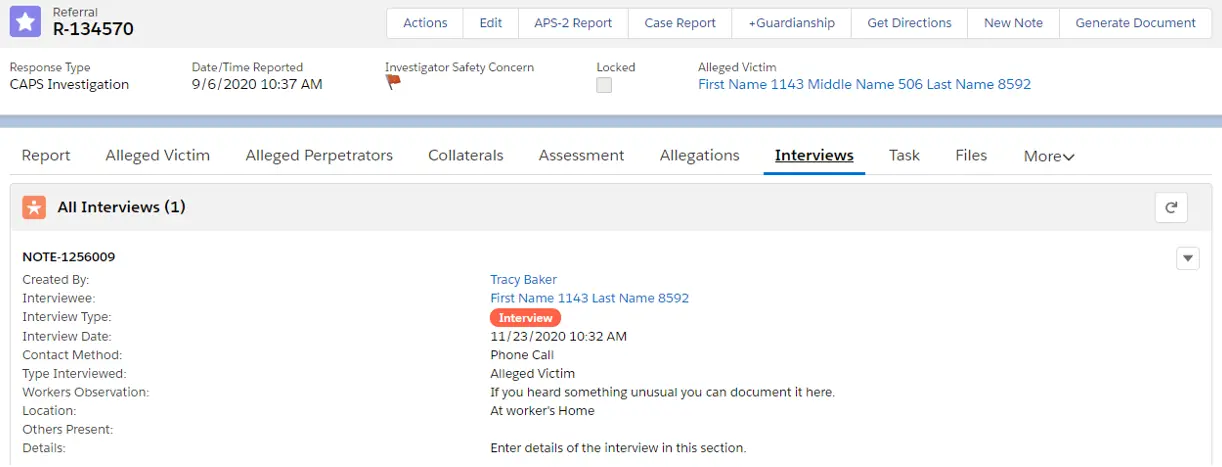
Method #2 for Adding an Interview
This method is the preferred method for adding an interview.
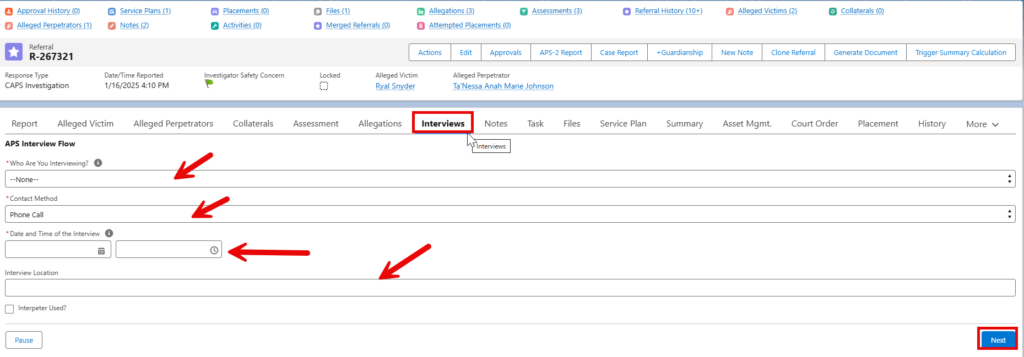
- Select the Interviews tab and complete the following fields then click Next:
- Who are you interviewing?
- Contact Method
- Date and Time of the Interview
- Interview Location
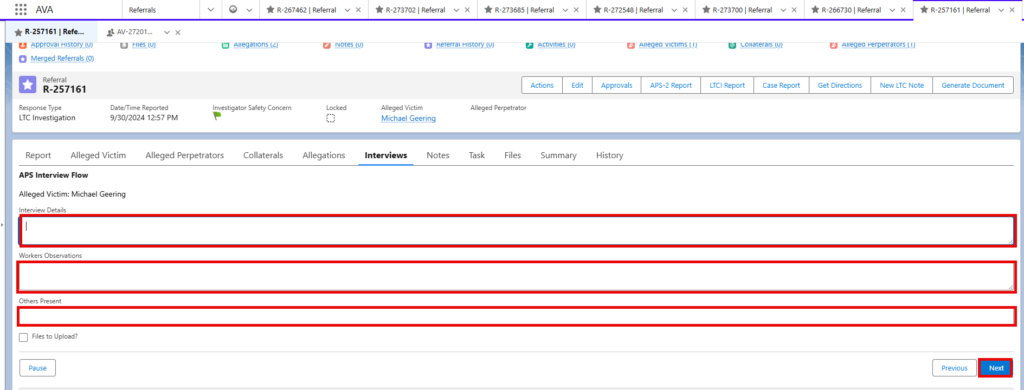
- Fill out the following fields, if applicable, then click Next:
- Interview Details
- Worker Observations
- Others Present
- Review the information on this screen, then click Next.
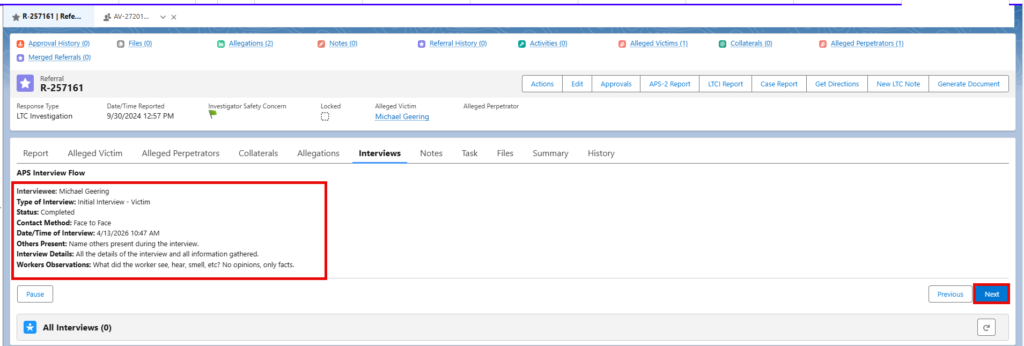
- Hit the refresh button and your interview is now shown below.