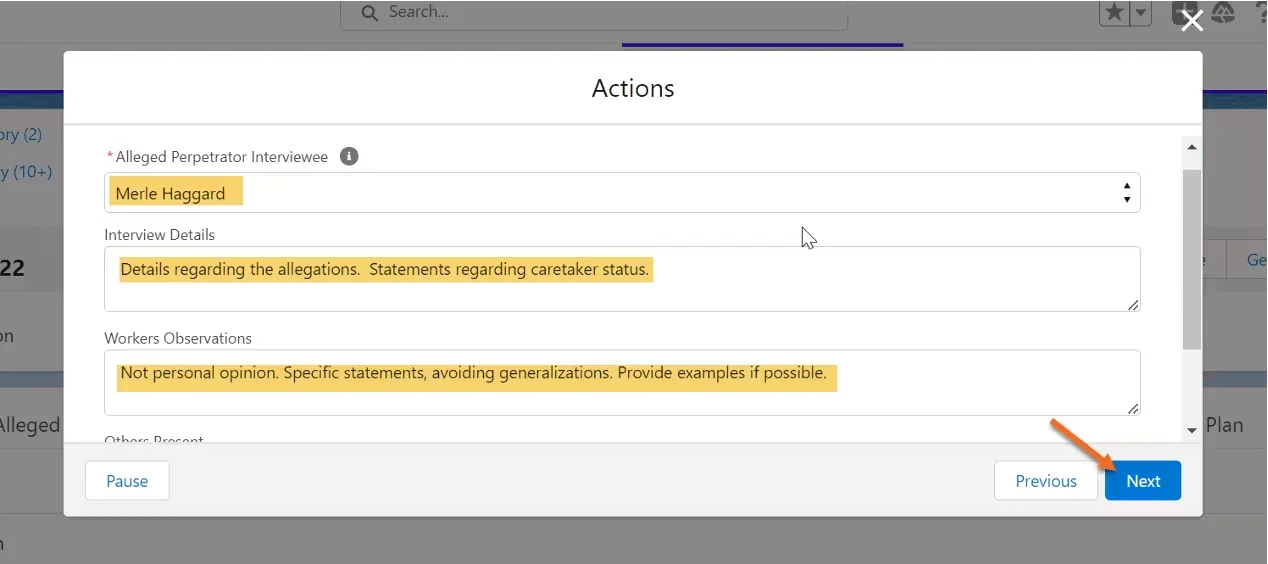
- For Alleged Perpetrator/Collateral interviews: Click on the “What type of Interview?” drop down and choose Interview.
- You will then choose the correct interviewee: Alleged Perpetrator or Collateral.
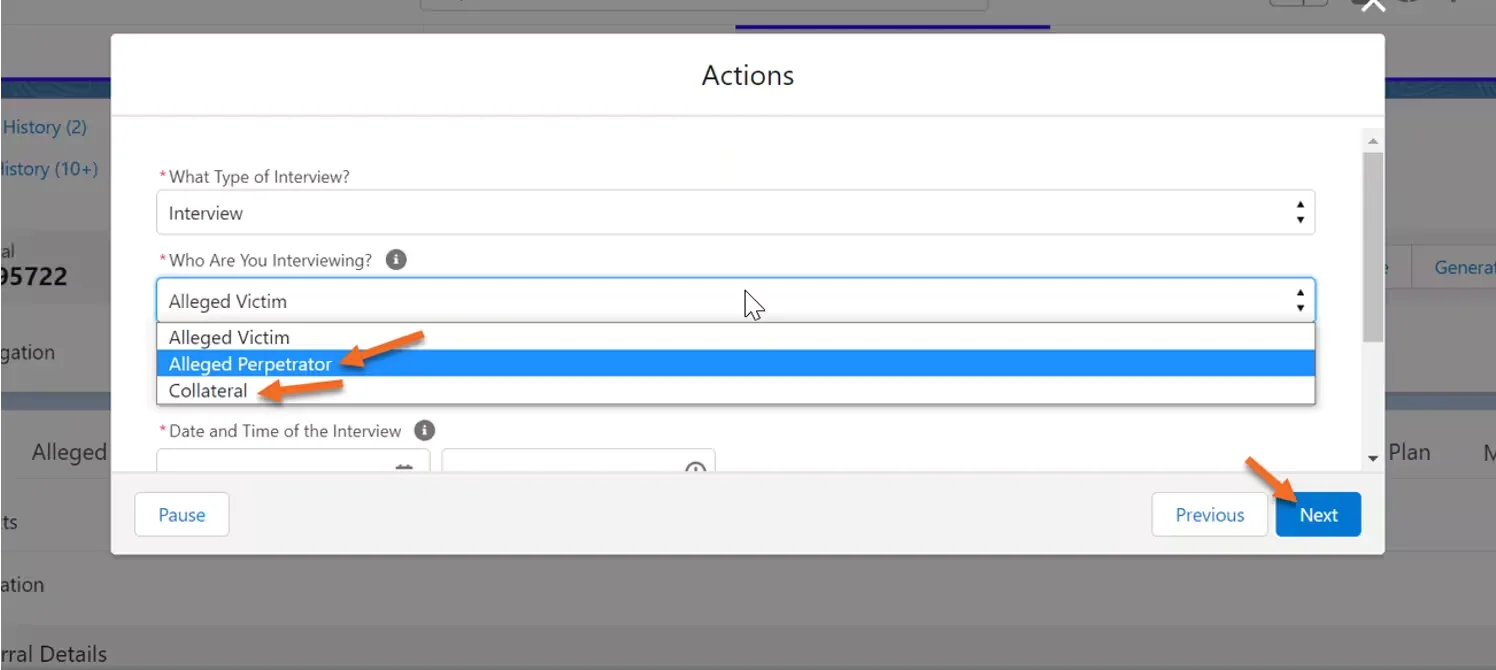
- Complete the rest of the screen and click Next.
Interview Location: Record the address of the interview if done at a private residence. If interview is at a hospital, the name of the hospital and room number should be entered. If by phone, the phone number of the interviewee would be entered. - Select the proper Interviewee and complete the screen. Under Interview Details for Alleged Perpetrators: you will record the interview details that are regarding the specific details of the allegation and statements to help determine if the alleged perpetrator is a caretaker. This information should be recorded on the Alleged Perpetrator tab’s section labeled Alleged Perpetrator as Caretaker Details. For Collaterals: you will record the interview details regarding the specific details of the allegations and if the collateral is willing to participate in the Service Plan.