How to Recall Allegations

  1. Navigate to the Allegation Tab or Quick Link and locate the Allegation ID you wish to Recall.
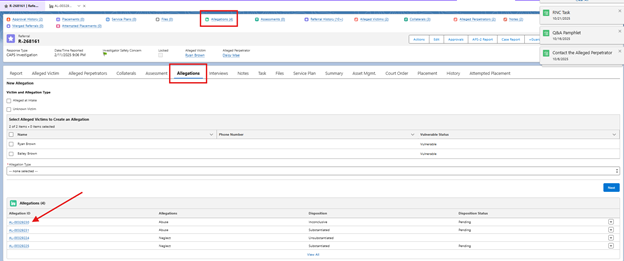
Allegations Quick Link and Tab in AVA to open allegations view
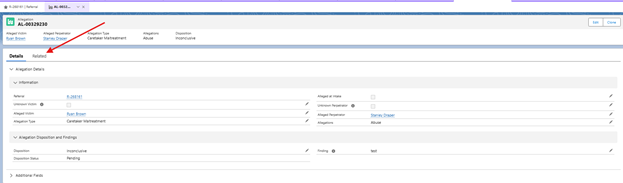
  1. Click Related.
Related Tab within Allegations view to view Allegation History and Approval History
  1. Under the Approval History section, there will be a Recall button on the right.  Click Recall.
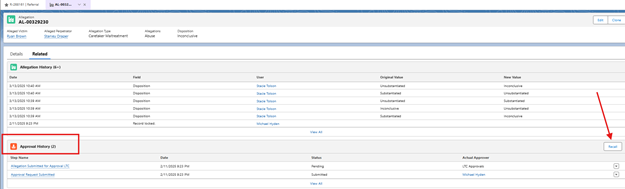
Approval History within Allegation to Recall Allegation Approval Request
  1. Type a Recall reason and click Recall.
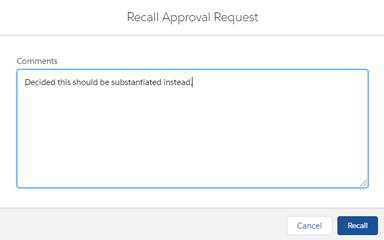
Comment box to add a comment for Recalling Allegation
  1. Under the Approval History section, the Status will change to Recalled.  Under the Allegation History, the Field will change to Record unlocked.
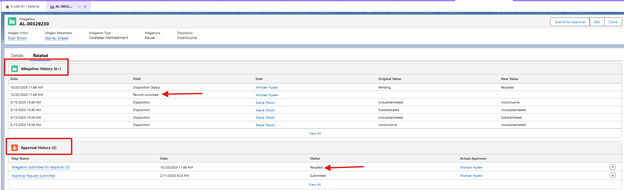
Related Tab within Allegations view to show record has been recalled and unlocked
See a mistake on this page?